
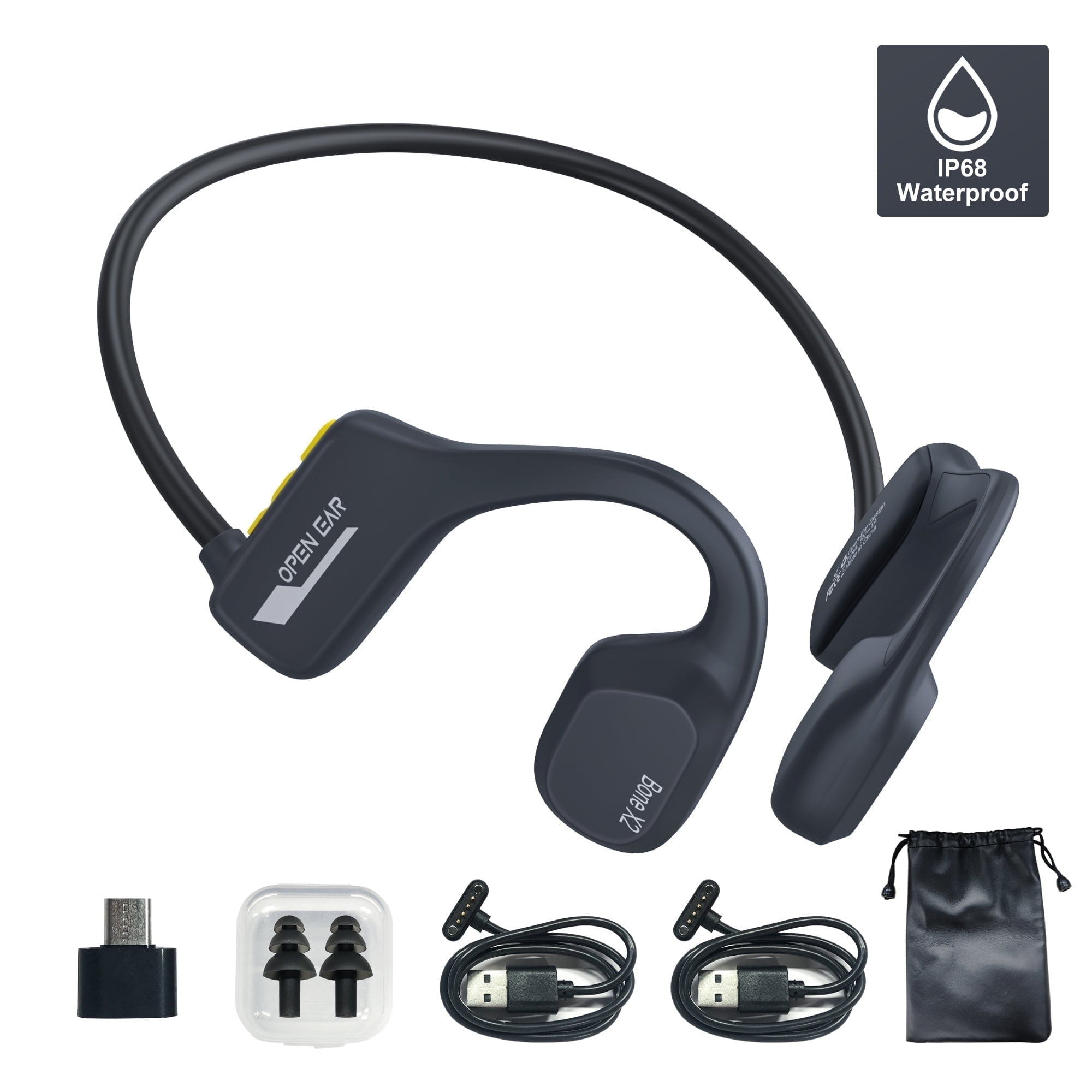
TOPVISION Bone Conduction Swim Headphones, Open Ear Wireless Bluetooth Headsets, IP68 Headphones with Bluetooth 5.3 and 8GB MP3 Player for Run, Hike
Product details
| Management number | 230257987 | Release Date | 2026/06/18 | List Price | US$20.00 | Model Number | 230257987 | ||
|---|---|---|---|---|---|---|---|---|---|
| Category | |||||||||
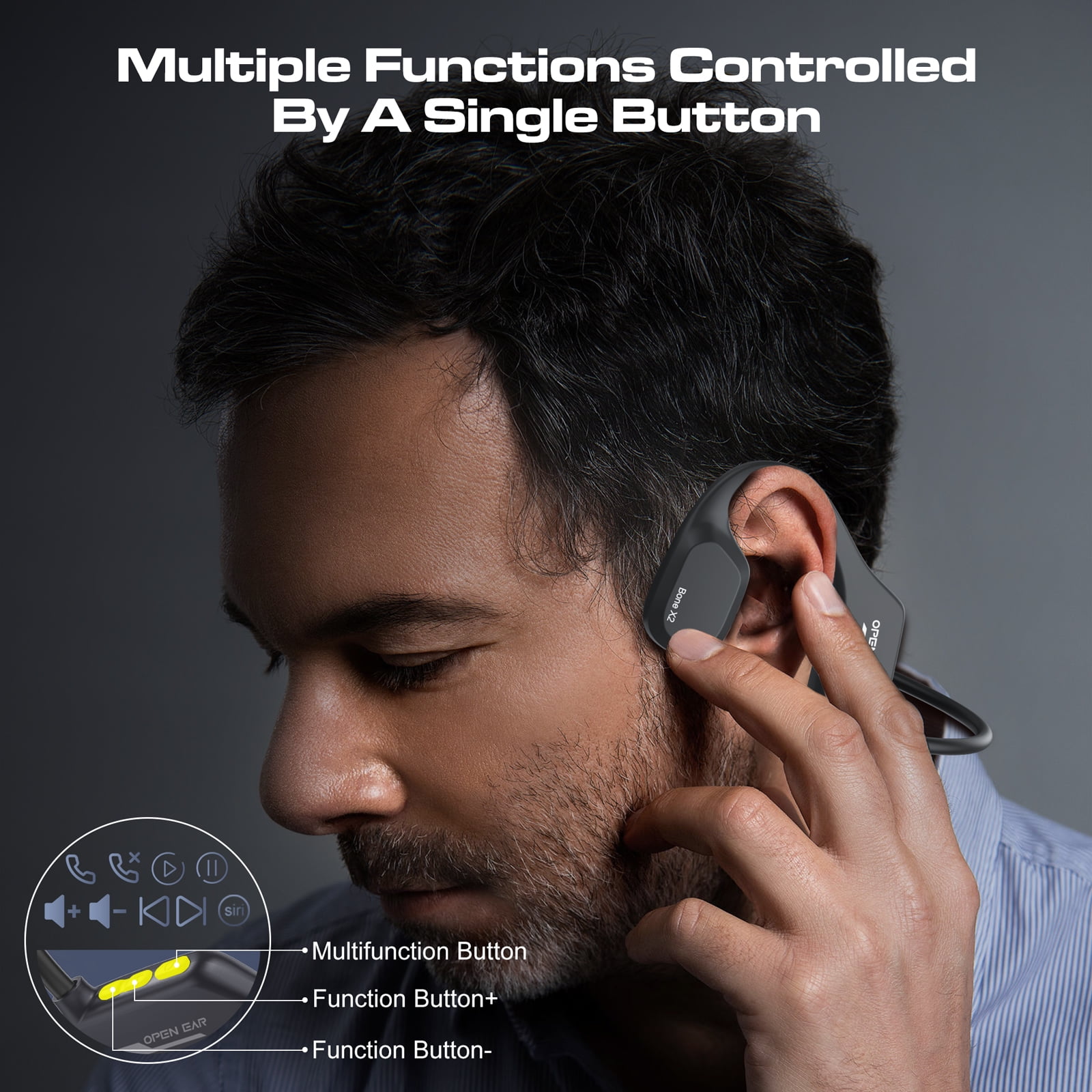
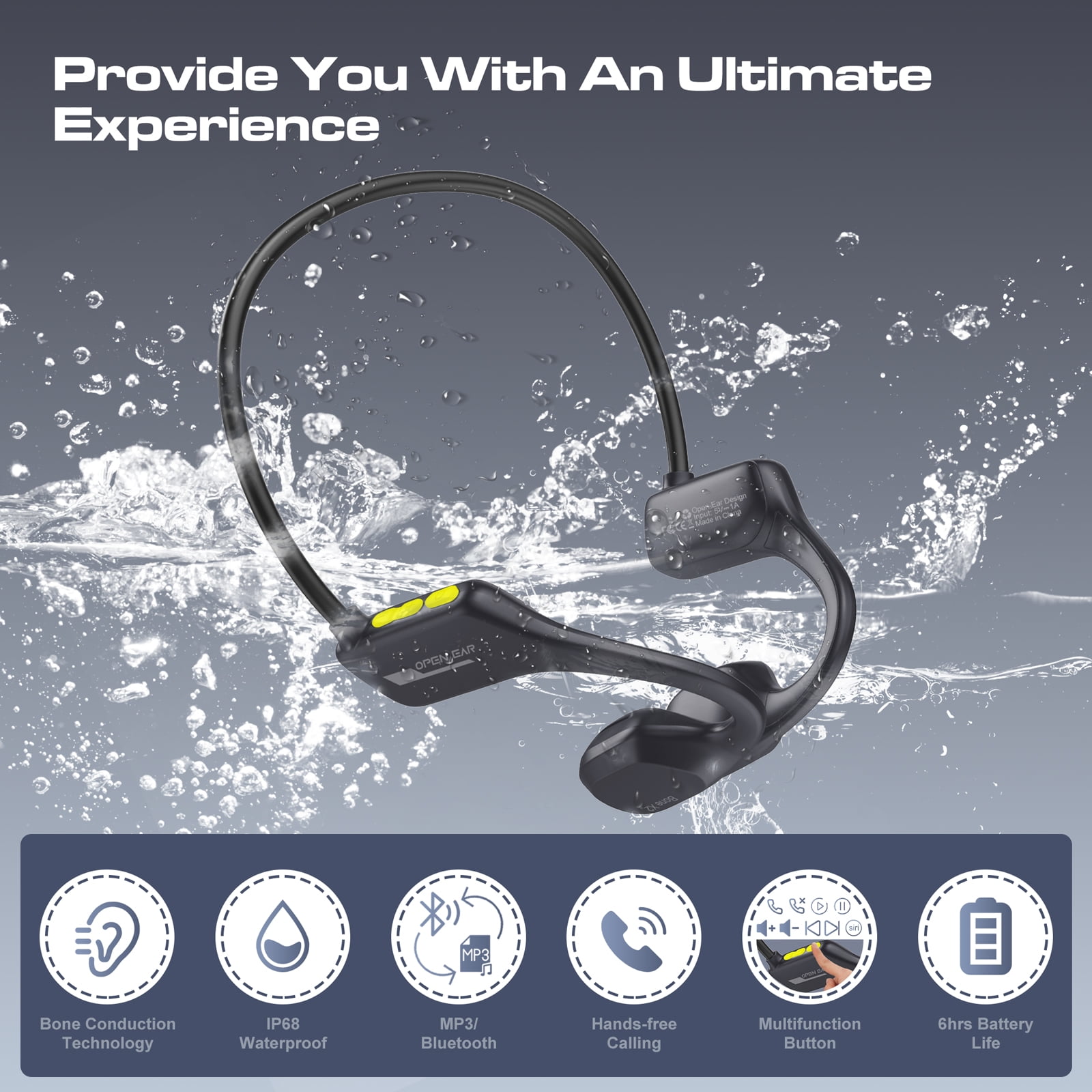
<p><strong>Your music, your pace, your freedom—hear everything without missing a moment.</strong><br><br><strong>Specifications:</strong><br>Item Weight: 0.064lbs<br>Bluetooth: 5.3<br>Bluetooth range:About 10m<br>Memory Size: 8G<br>Support File Format: Mp3, wav.<br>IP Rating: IP68<br>Charging Input:DC-5V<br>Using Time: 6h(80%volume)<br><br><strong>Operation Guide:</strong><br>●<strong>Power on: </strong>Under power-off mode, press and hold the M button for 3 seconds.<br>●<strong>Power off:</strong> Under power-on mode, press and hold the M button for 3 seconds.<br>●<strong>BT connection: </strong>In the power-off state, press and hold the M key for 3 seconds to enter the Bluetooth pairing state.Search for OPENEAR Bone X2 in Bluetooth menu and click to connect.<br>●<strong>Connection successful:</strong> The headset is successfully connected to the device.<br>●<strong>Switch MP3/BT:</strong> Under power-on mode, double click MFB.<br>●<strong>Auto power off</strong>: If it is not connected or disconnected from the Bluetooth connection after powering on, if there is no operation, it will automatically shut down after 5 minutes, and the automatic shutdown function when connected to a mobile phone will be canceled.<br>●<strong>Cancel call</strong>: Before the other party does not answer the outgoing call, click the M button to cancel the dialing.<br>●<strong>Answer call:</strong> When there is an incoming call, click the M button once to answer the incoming call.<br>●<strong>Reject call:</strong> Double-click the M button to reject the incoming call.<br>●<strong>Hang up call:</strong> When the call is complete, click the M button to end the call.<br>●<strong>Activate Voice Command:</strong>Quickly triple-click the M button to activate your voice assistant.<br>●<strong>Play/pause music:</strong> When the music is paused, click the M button to continue playing the music.When the music is playing, click the M button to pause the music.<br>●<strong>Volume up/down:</strong> Click + button to increase volume / click - button to decrease volume.<br>●<strong>Restore factory setting:</strong> Under power-off mode, press and hold the power button for 10 seconds to restore the factory.</p>
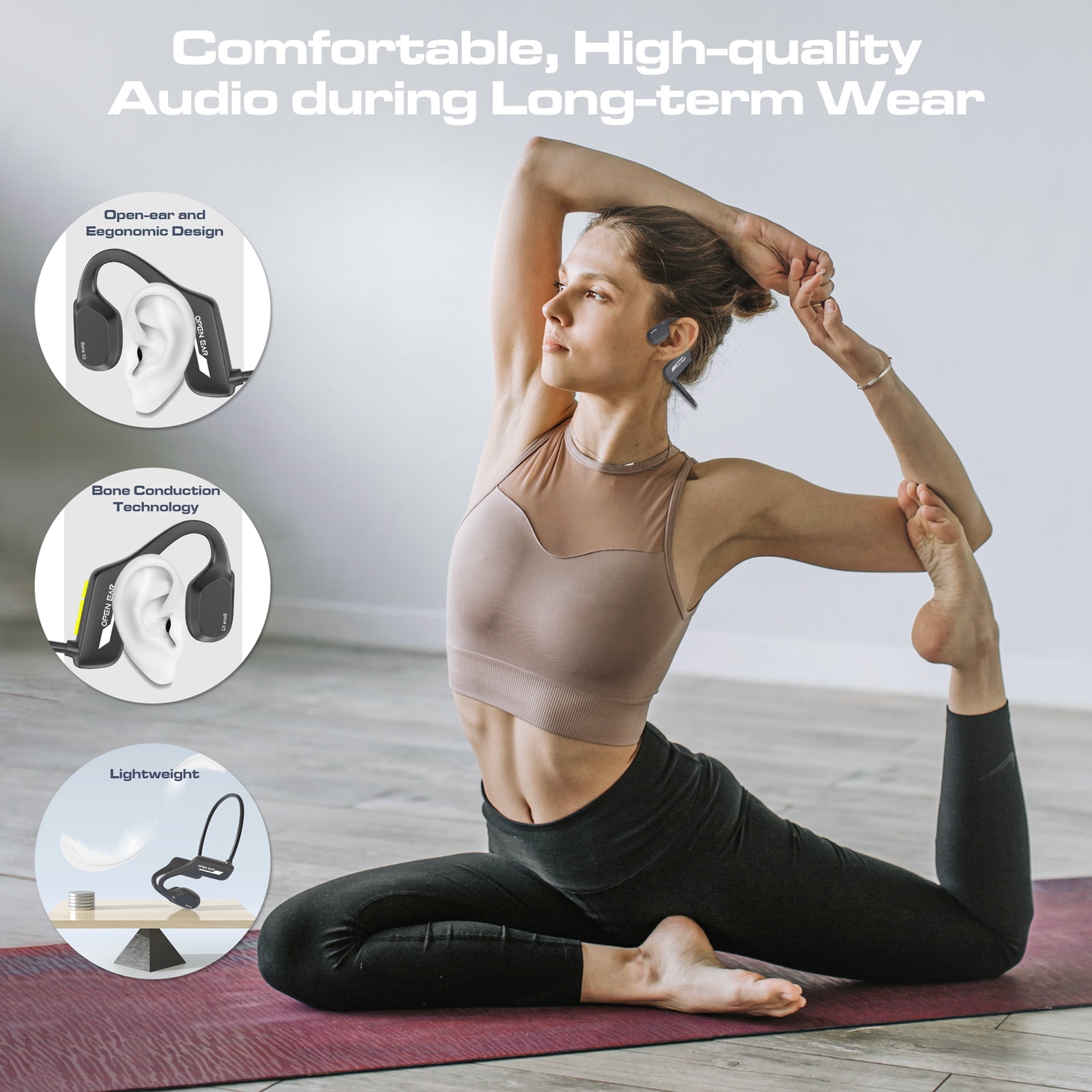
- 【Advanced Bone Conduction Technology】Experience audio in a whole new way with our bone conduction technology. Unlike traditional headphones that cover your ears, these transmit sound directly through your bones—keeping your ears open to the world around you. Imagine jogging in the park and clearly hearing a cyclist’s bell from behind, or chatting with a friend mid-hike without removing your headphones. It’s perfect for morning commutes too: you can listen to your favorite playlist while staying alert to subway announcements or street noise. This design blends good sound with everyday safety, making it a seamless fit for active lifestyles.
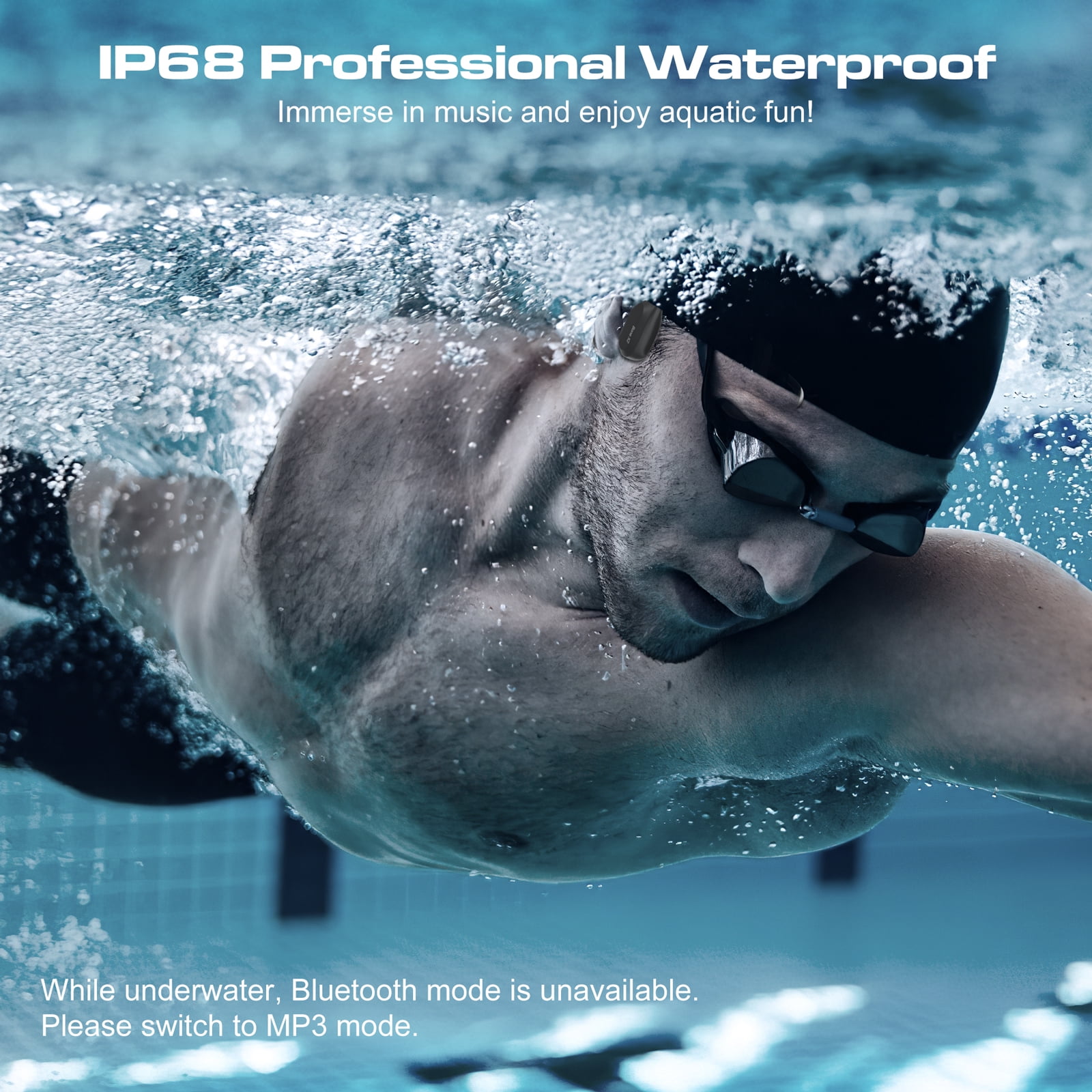
- 【IP68 Waterproof Design】With an IP68 waterproof rating, these headphones are built to keep up with your wettest adventures. Picture swimming laps in the pool (IP68 waterproof) while your favorite upbeat tracks keep your pace steady, or snorkeling in calm waters with your go-to audiobook playing clearly underwater. They’re just as dependable on rainy days—no need to hurry to take them off when a sudden downpour hits during your outdoor run. Even intense sweat sessions at the gym won’t faze them. Pair them with your swim cap or goggles, and let the integrated MP3 player handle the tunes—no phone required near water.
- 【Dual Modes: MP3 & Bluetooth 5.3】Enjoy great flexibility with a built-in 8GB MP3 player (enough for 2000+ songs) and Bluetooth 5.3 connectivity. Leave your phone at home during morning jogs and rely on the MP3 mode for uninterrupted music. Commuting? Connect via Bluetooth to stream podcasts or take calls with clear quality. Heading to the gym? Switch to MP3 to avoid fumbling with your phone in a locker. It’s all about adapting to your day—whether you’re offline, on the move, or staying connected.
- 【Open-Ear Comfort & Awareness】Designed for all-day wear, these headphones weigh just 29g, so you’ll barely notice them. No earplugs mean no sore ears, even after hours of use—ideal for long workdays at your desk, where you can listen to focus playlists while still hearing colleagues if they need you. Watching kids? Keep them on and stay tuned to their laughter or calls for help. Cooking in the kitchen? Enjoy a cooking podcast without missing the oven timer. It’s a comfortable, secure fit that keeps you in touch with life around you.
- 【6 Hours of Playtime, Fast Charging & Low Battery Alert】A single charge delivers up to 6 hours of playtime (at 80% volume)—plenty for a full day of activity, from back-to-back workouts to a day of hiking or a busy commute. And when it’s time to recharge? Just 2 hours plugged in gets you back to full power. Forgot to charge overnight? A quick 30-minute top-up works for your morning jog. Plus, the low battery alert has you covered: when power dips below 10%, you’ll get regular reminders, so you’ll never be caught off guard by a dead battery mid-adventure.
| Headphone style | Bone Conduction |
|---|---|
| Ip code | IP68 |
| Battery life | 6 h |
| Wireless technology | Bluetooth |
| Rec. use | Sports |
| Noise control technology | Active Noise Cancellation |
| Wireless | Y |
| Battery consumption type | Integrated Rechargeable Battery |
| Maximum transmission range | 32 ft |
| Features | Built-in Microphone |
| Brand | TOPVISION |
| Model name | Bone X2 |
| Color category | Black |
| Compatible smart control systems | Siri |
| Ear pad material | silicone |
| Assembled product weight | 0.18 lb |
| Accessories | Manual x 1, Earplugs x 1, Charging Cable x 1 |
| Has written warranty | No |

Bestseller ranking
Wireless and Bluetooth Headphones
Customers who viewed this product also viewed
Balloon Shades


Correction of product information
If you notice any omissions or errors in the product information on this page, please use the correction request form below.
Correction Request Form